Showing posts with label examination. Show all posts

Saturday, July 08, 2017

What's happening with Contemporaneous Notes


Contemporaneous note (CN) taking is an essential process and procedure. The title is often used as a widely applied statement to include other associated processes and procedures, such as Simultaneous Notes (SN), etc.; as some of you know CN, SN, IN and VN are covered in my training courses for e-Discovery, (forensic) examination and evidence E3.  

I have taken the opportunity to bring on board Robert Merriott, Founder of Forensic Notes, to provide an overview of some of the methods and tools out there for preparing and producing Contemporaneous Notes. From Robert's well informed discussion (below) this clearly is a subject where strong opinions are held and a subject which we will return in future discussions.


Robert Merriott
Digital Forensic Examination Notes

The purpose of this post isn’t to provide a singular and definitive answer to the question of what ‘examination notes’ should look like.   In fact, every country or region will have its own accepted practices developed to satisfy the laws of the land.   Instead, this article is presented to discuss the many facets of this important subject and to help you find a solution that will best meet your needs.
A recent discussion regarding Contemporaneous Notes on Forensic Focus showed that there are differing views on how strict guidelines should be in relation to examination notes.  This difference of opinion reveals how much the process of conducting digital forensic examinations can vary from one office to the next.

Importance of Documentation

The importance of documenting your examinations can not be understated.  Although you may never need to defend your case in court, you should complete every case as if you would be testifying as an expert in Supreme Court.
Recently, experts and influential leaders in Digital Forensics provided quotes on the Importance of Documentation.
As Greg stated…
“Contemporaneous Notes are unavoidable, thus inescapable, when it comes to examining evidence and are akin to the standard of Ethics.
They hold the examiner to their own account of conduct when no one else is around to witness what is happening.”

Examination Notes – Current Solutions

Investigators dealing with digital evidence will document their examinations in one of several ways:
-          Traditional paper notebook and pen
-          Word processors such as MS Word or OneNote
-          Purpose built electronic note-taking system
-          Scrap pieces of paper
-          Do not document!

Paper Notebook and Pen

The classic way of writing contemporaneous notes. 
This form of documentation has been relied upon in law enforcement and scientific labs for decades and has continued to standup to the scrutiny of the courts when properly completed.

Although widely accepted in courts, writing your notes in a paper notebook can be slow and result in notes that are illegible and incomplete.  For many young examiners that can quickly type out long messages on a virtual mobile keyboard, the idea of handwriting notes seems like a step back in productivity.
Attempts to correct spelling and grammatic mistakes only further complicate the process of writing and disclosing notes.

MS Word or OneNote

Electronic documentation is becoming more common even in traditional settings like law enforcement were only paper notebooks and pens were previously trusted.
Electronic documentation offers many advantages including the ability to edit and modify the content of the notes as required.
Being able to edit the content of an electronic note allows the examiner to correct any spelling, grammatical errors or omissions. As a result, some examiners feel electronic documentation provides a more professional form of their notes as they are able to correct these issues prior to providing them to colleagues or the courts.
But if notes can be changed at a later date with no previous history of the contents originally entered, can they really be considered contemporaneous?
And does this open up Pandora’s Box for defense lawyer questioning? 
If you admit you modified some of your notes for “grammar” and “typos”, will defense begin to argue you changed other aspects of your notes as well?  And what if you did change something else for reason beyond simple grammar or typos, how will you explain that change in court?
Criminal courts would never allow a law enforcement officer to wite-out® portions of his notes in a paper notebook and then overwrite that information with new information. So why should the courts trust electronic notes to be a true representation of your thoughts at the time stated if they can be edited without including the previous entries?
Although many Digital Forensic Examiners are using MS Word and OneNote successfully in courts throughout North America and Europe, we as examiners know that the majority of courts have failed to keep up with the complexities of digital data and how easily files can be manipulated.
Of course, there are ways to make electronic notes immutable with the use of Digital Signatures and digital timestamps, but few organizations are properly setup to implement this solution.
Will you be able to defend the authenticity of your MS Word or OneNote examination notes in court if questioned?

Electronic Note-Taking Application

Electronic Note-Taking applications offer the best of both worlds if designed and used properly.  But remember, not all applications are created equal.
When deciding on what electronic note-taking application you want to use, you will have to consider your specific needs and requirements not only now, but in the future when your cases finally go to trial.
-          Can you easily print notes in sequential order for court?
-          Can you edit existing notes while retaining the original note for Full Disclosure?
-          Can you arrange your notes in a logical manner during the investigation to keep your information organized?
-          Can you search through your notes to find answers quickly?
-          Is your information securely saved and encrypted?
-          Do Audit Logs exist allowing you to clearly see who else accessed a particular note or notebook?
-          Is the application able to timestamp individual notes from a trusted and independent Timestamping Authority (TSA)?
-          Will the courts be able to authenticate your notes if required without calling in another expert?
-          Can you access your notes on multiple devices, including mobile, so that you can take notes outside of your office such as during live analysis at the scene or meetings with other investigators?
-          If you include screen captures and images in your notes, will you be able to print the image in a high-quality format at a later date if it becomes a key piece of evidence?
-          Are the owners of the application trusted members of the digital forensic community?
When choosing an Electronic Note-Taking Application, you should select an application that works the way you work instead of being forced to work within the constraints of the application they provide.

Scrap Pieces of Paper

Although it’s common to use scrap pieces of paper to quickly jot down information, they should not be used as a place to write notes during an examination unless other options discussed above are not available.
If scrap pieces of paper are used to document important information, this should be transcribed into your proper notes as soon as possible. Often, if done in a reasonable time frame, these transcribed notes will be considered contemporaneously written.

Do Not Document Examination

Some examiners do not see a need to document their examinations. This is often as result of poor training, inexperience or laziness. If your examination involves criminal or civil litigation, then it’s imperative that you conduct your examinations in a professional manner.   Poorly documented investigations can lead to bad caselaw that affects us all.

Should Standards Exist for Examination Notes?

Preston Coleman provides a valid and well thought out response to the idea of standards for examination notes.
 
As Preston points out, if standards were to be created for examination notes, then they should be general in nature to allow for the flexibility needed within most examinations.  At a minimum, the following “universal elements should be observed”
-          Contemporaneous Notes
Document actions and results sequentially as they occur
-          Timestamp Notes
Include Date & Time with every note made
-          Immutability
Notes should be fixed and non-editable upon completion of the examination
-          Available
Provide to others, including the courts, if required
Depending on your particular circumstances and the types of files that you are investigating, you may decide on more stringent requirements for your own note taking.

Odds n’ Ends

Now let’s discuss a few more questions regarding examination notes…

Simultaneous Notes

As discussed within the “Forensic Chip Off – Notes in Progress” post, Greg asked the question “how would you keep contemporaneous notes (CN) simultaneously whilst removing a chip?”
If Simultaneous Notes (SN) were required during a technical hands-on examination, then a video of the examination (as shown in the blog post) could be used to allow the examiner to concentrate on the task at hand while still properly documenting the actions being taken. Upon completion, the video file could be hashed with the resulting hash being noted within your Contemporaneous Notes.
A purpose-built forensic Electronic Note-Taking application would allow you to attach the original video to the note and automatically Hash and Timestamp the video in only a couple steps.

Destroy Notes After an Examination Is Complete?

In some American states, it is apparently common practice to destroy both paper and electronic notes once a final examination report has been written.
If the destruction of examination notes is currently allowed where you work, you should ask yourself:
-          What happens if the accuracy or credibility of the report is questioned?
-          What reasoning will you provide if questioned on why you felt it was necessary to destroy your notes?
o   The opposing party may ask “What were you trying to hide in those notes that it was so important that you destroy them prior to court?”

Restrictive Warrants

In many regions, warrants authorizing forensic examinations are becoming restrictive with respect to the type of data that can be analyzed and included in forensic reports.  In practice, you may observe other evidence in plain view (eg: Child abuse material) that does not fit within the restrictions of the warrant.
In this case, it is suggested that you immediately stop your current examination and re-apply for a warrant that includes the evidence you observed in plain view.
If you fail to take proper contemporaneous notes or destroy your notes upon completion of a report, would you be able to properly articulate how you came to observe the images or data that you weren’t authorized to have searched which resulted in a more comprehensive warrant being sought?
If not, you risk having all your evidence excluded from the trial.
Many investigators fail to recognize that obtaining a new warrant is easy in comparison to defending the merits of the new warrant at trial. Are you willing to lose all that hard work due to a lack of proper documentation?

Conclusion

The digital forensic community needs a “Best Practice” guideline in creating contemporaneous notes during an examination. Without a clear guideline, Digital Forensic Examiners are left to rely on potentially false or misleading information from fellow members who do not fully recognize the need or value in creating proper notes during an examination.
At a minimum, all professional Digital Forensic Examiners should use the following list as the current “Best Practice” guideline:
-          Contemporaneous Notes
-          Timestamp Notes (Date & Time)
-          Immutability
-          Available
By continuing to discuss this important subject, we as a community can further improve “Best Practice” guidelines that will help ensure existing and new examiners take the necessary steps during digital forensic examinations.
After evaluating the “Best Practice” guidelines, you can make an informed decision on what is the best solution for recording Examination Notes given your particular circumstances and needs.
Will you stick with the classic pen and paper, utilize a word processing application such as MS Word or OneNote or go with a more forensic solution such as a purpose-built electronic note-taking system like Forensic Notes?
About Author:
Robert Merriott founded TwiceSafe Software Solutions Inc. (Forensic Notes) after realizing the need for a digital note-taking application that would meet the high standards of digital forensic evidence in the courts. Robert has a Degree in Computer Information Systems and obtained both Microsoft MVP and ASPInsider status during the infancy of ASP.Net. He now works as a Digital Forensic Examiner.
DISCLAIMER: This article is not meant to provide legal advice or information. Legal statements made are only provided as guidance for the reader to seek professional legal advice within their jurisdiction. No information contained within this article should be acted upon without discussing the merits of such information with a legal professional. The author of this article is NOT A LAWYER and takes no legal responsibility for the information presented. In addition, the information provided is based on personal beliefs and ideas and does not represent his employer.


Thursday, February 23, 2017

Secrets and Evidence of Older Mobiles

It is good to learn that the Nokia 3310 may make a return, albeit with an Android operating system. The nostalgia for these types of mobile phones has clearly not been lost. What it might suggest is that consumers still want a mobile telephone to remain a mobile telephone and to look like one.

The older mobile phones I have in mind though are the ones that are still used in examinations, investigations and research. Since there is nostalgic sentiment in the air I thought you might be interested in some examples of older mobile phones from my lab toolkit.


Now these old buzzards are used for basic GSM telephony services. There isn't a universal SIM that will work with these as some from my collection operate with a 5-volt SIM and so on. Importantly they are used due to the fact they have an external antenna and extendable external antenna. In some investigation instances RSSI will show network detection and a small amount of RF power whereas mobiles/smartphones with embedded antennas show Emergency Calls Only.

You might recall I have written numerous articles on radio surveys and two that may seem appropriate to this discussion are:

CSA: Mobile Phones and Fringe Coverage
http://trewmte.blogspot.co.uk/2010/06/csa-mobile-phones-and-fringe-coverage.html

GSM Radio Test Measurements
http://trewmte.blogspot.co.uk/2010/06/gsm-radio-test-measurements.html

The next selection of mobiles/smartphones each provide different radio characteristics due to the manufacturer's selection of RF chipset and functionality.


My five beauties, as I call them, are my Nokia 3210s. Great phones and they still operate perfectly well today. You can also see in the photo that all bar one mobile have embedded antenna. Some are mobile phones and some are smartphones. Combined they offer the ability for RF surveys and testing voice telephony, data downloads, instant messaging etc. The common laptop application Network Monitor (NMonitor/NetMonitor) still provides good feedback when connected to the Nokia 3210 (nmon activated). Blackberry requires a bit of setting up with applications such as MagicBerry, BBHTool, etc., and creating JAD-files (depending on what you want to achieve). Now with the Samsung models GT-I8160 and GT-I9100 both are used with 2G and 3G networks and illustrates the point that two models of smartphone from the same manufacturer display didn't RF survey details.


Now I wont bore you with an explanation of the details just to say these investigation RF surveys require knowing the various ServiceMode states. In particular, if you are conducting a PRACH and RACH survey, relevant to investigations for Access Requests (e.g. the phone is not in idle mode but seeking a service), then the GT-I9100 is useful in that it displays not just the LAC but also the Cell ID the RACH (access) request was made. Quite a few mobiles do not do this when looking into the ServiceMode states. You have to be quick, mind you, as the ServiceMode screen changes fairly quickly if you are not ready to take a photo.


Yet another, quite old-ish, mobile phone that I haven't shown so far is the Nokia 6303. The photo shown below should explain everything. But for those not familiar to testing and examination; where a charge in the billing appears for an SMS or at least details of a called number sent an SMS (even if sent message is free) it is quite possible the party receiving the message can read it but the message wont be saved. This is known as a Class 0 message (commonly referred to as a Flash Message). Depending on make and model of mobile phone, part or all of the message which is only held in RAM might still be recoverable, provided seizure and examination is undertaken and completed fairly quickly, as RAM is updating perpetually. 


The Nokia 6303 is one of those mobiles that the handset manufacturer in combination with mobile network operator enabled this feature as they foresaw revenue generation from it and also recognised that a reasonable memory storage capacity in handset and SIM card need not be blocked up with trivial messages.

The 6303 came with a 940 MB memory card for downloaded applications etc. This proved to be useful in an investigation where text messages didn't have alphabet characters but a series of dots and dashes. At first it was thought this was incomplete text chat messages or some sort of smiley face that didn't form properly when typed on the screen.


When reviewing hundreds of text messages recovered from a mobile or smart phone it is quite easy to overlook or ignore a message as being meaningless. However, I researched the matter and following testing the message turned out to be Morse Code. I tracked down the application for this and cross-checked with the device that had been examined.


So next time you see a text message with an odd presentation look closely to see if it has relevance and whether your mobile phone forensic suite software has the capability to either identify the message contains additional features or can translate the message.

Hope you have enjoyed this brief look at older mobile phones used in and for mobile forensic examination, investigations and research.

Sunday, March 20, 2016

eMMC


Frequently data recovery work undertaken is on eMMC (embedded MultiMediaCard) found in a large number of the smartphones and memory sticks etc. on the market. I was asked what tool I would use for working with e.g. eMMC. One tool that is most frequently turned to is Up-n-Up UP828P Ultra Programmer ('P' is the latest version).

The hardware reader which can be found here http://www.up48.com/english/product.htm. It supports the newest types of FLASH, NAND FLASH, SERIAL FLASH, MoviNAND, iNAND , eMMC etc., in addition, the BOOT area of iNAND, eMMC and MoviNAND can be read and written

Also required are the chip adaptors http://www.up48.com/english/adapter.htm.


And if you want to try your hand with iPhone there are adaptors for them too.


Of course, once an image has been acquired soft tools are still needed to read and interpret the data. Chip removal from iPhone (depending upon version involved A6, A8) would be problematical where data are encrypted.

Evidentially, do not experiment with exhibits (seized items) to avoid contaminating or corrupting data on the chip. Instead take the common path to chip exploration and obtain second-hand devices to gain your experience.

The above does not include additional hardware and tools used for the actual chip removals.

Hope this helps.

Saturday, March 19, 2016

Emergency Cases - Smartphone Examination


Capturing the target subject's smartphone activities is not as easy as is thought, as we are all finding out with the current Apple and law enforcement debacle.  The Apple case though is not the norm as the two opposing sides are fighting about the "right to access". The public are engaged with this story that continues to unfold as to what "Privacy" actual means, should terrorism enjoy the comfort of privacy and so on. However, there is a sub-text going on here (as well) concerning examination procedures for smartphones and methodology in emergency cases. Having been involved with mobile phone evidence in criminal and civil proceedings for over 30-years I can tell you it isn't as easy at all.

Consider the current Apple case (and the articles still keep coming) and mistakes that are said to have occurred. The - TECH INSIDER - reported (http://www.techinsider.io/apple-the-fbi-screwed-up-san-bernardino-investigation-2016-2)

"The fact that the password was reset means that Apple was unable to retrieve info from the iPhone's unencrypted iCloud backup like it has for past investigations, according to reporters Apple spoke with. If the password hadn't somehow been reset while in law enforcement custody, the FBI likely wouldn't need Apple to create a tool that lets it brute force hack the iPhone's lock screen passcode and gain access to the device's encrypted contents."

It is the words "password hadn't somehow" that has significance for me because in those words it doesn't take account of the intense situation people are operating under, speed of investigation operations, timescales, prevention for potential further attacks and pressure to resolve the case etc.  So the sub-text here is learning from adverse outcomes in emergency cases. Put on hold demands for back-door access as the golden cure because, in itself, it is not. There can be a plethora of superlative elements that will be sifted, considered and discarded where found not  to be relevant. For elements that may be relevant they still need to be sifted, considered and conceptualised.

From a range of materials I use in my training courses I use the following which I originated back in 2006 (and I published it back in 2010).


Primer(C now) = Point in time and Space (which is a constant reference point) in the present tense when the examiner is contacted for an investigation and from which the examiner uses to look back in time at and into the future regarding mobile telephone evidence.
.
(T) = Time is the timeline, limited by how far the examiner can see into the past and future based upon discovery.
.
(S) = Space is the space line that is used as a constant reference point from which all other events occurring in space can be considered based upon discovery (seizure of device, chain of custody of an exhibit etc)
.
(F) = Future relates to things that have yet to happen (future events). This is based upon things that maybe discovered from the time the examiner is contacted
.
(F d) = F d represents, as far as possible, thus not set to a specific period of time, how far into the future the examiner can identify events beyond which no further discovery is possible.
.
(PU usage) = Past User usage (below Blue line represents past recorded events, and below the red dotted line events unfolding during and after investigation)
.
(PR usage) = Past Record usage (below Blue line represents past recorded events, and below the red dotted line events unfolding during and after investigation)

The proposition in Smith Diag 1 is intended to represent, by use of visualization, how mobile telephone usage can be investigated. The diagram tests your powers of observation and, more importantly, your depth of knowledge. So do not be fooled by what you believe to be my poor graphics skills. I deliberately intended that (PU usage) area to be shown larger than the (PR usage) area in order to suggest more data may be found in the mobile telephone than maybe obtained from the network records. That is because not all activity on a mobile telephone leads to activity in the radio and fixed mobile network. Network records are not limited to billing records therefore issues associated with cell site analysis also need to be considered. It does not automatically follow there shall be parity between data obtained from the mobile telephone and the network records and vice versa. The diagram below (Smith Diag 2) represents a number of suggested data elements commonly arising during an investigation.


The third diagram (Smith Diag 3) uses the classic representation of Time (T) and Space (S). Use of a Time line may be obvious but the Space line may not be so obvious. The point of using Space is as a determinate for e.g. the seized exhibit in the examiner's possession. Let's say the examiner receives the mobile telephone exhibit on the 30th March 2008 at 3.00pm. The exhibit was seized 10th March 2008 at 11.00am. So, the examiner has two facts to work with (a) the exhibit in the laboratory (in time and space) and (b) the exhibit seized at a location from premises or person (in time and space).. So at the point the examiner has initial Contact (C now) with the exhibit then past events can now start to be determined. By way of illustration, following examination let’s say the examiner finds that the data recovered from the device reveals activity not connected with Space where the mobile telephone was seized at (b). Space would therefore be highly relevant, because (i) the examiner would need to demonstrate that as a fact and (ii) to demonstrate the separation in Space between each of the locations (a) laboratory, (b) the seizure, and the intervening factor between (a) and (b). This may be supported, for instance, by the last location and frequency details stored on the SIM card or may be the handset has GPS or one of the smartphone mapping system that might be set to automatic logging.


Have a go at designing one of these diagrams and show how you would handle the Apple phone (in this case) - the seizure and examination procedure. Just as a heads up F d is intended to represent a text message in the future that has been sent but not yet delivered to the target's handset. So how would you know if a text message is pending and who would you have to cooperate with to get that information (and the text content too)?

Hope this helps.

Monday, February 01, 2016

Investigation USIM EFs and Service Table

There has been so much going on over the past year and with research and testing I haven't posted as much as I would like. The growth areas in the variety of methods and tools for logical data and physical data extraction, harvesting and examination; impact that apps and malware might have on evidence; wireless options available on smartphones and tablets changing the way traditional cell site analysis can be conducted; and the generally the explosion in mobile information and standards needing to be absorbed and understood has been mind-blowing to say the least. These and other matters have consumed my time and the casualty has been fewer posts at the blog. However, from all the work and research I will endeavour to post here, hopefully, useful examination and investigative information on areas that may have either become outdated or evolved such that particular methods applied or tools used could be out-of-date or updated.

USIM (UICC) Cards memory storage and network/user files have seen a massive increase since 2010. Just have a look back at a post in 2010 I made here at trewmte.blogspot and compare the EFUST (elementary files usim service table) in TS 31.102 back then 3g-usim-2g-sim-service-numbers.html compared to the latest releases 12 ( 31_series/31.102/31102-ca0.zip ) and 13 ( 31.102/31102-d20.zip )

The first thing an examiner might wish do first thing in the morning at work is check whether the USIM reader tool is up-to-date. Have a look at the EFUST list and list of elementary files below and check that your reader has the capability to detect, extract and harvest data from these files. Then ask yourself do you actually understand when they are allocated and activated in a USIM what use is made of them? What evidence maybe harvested from them? How would the acquired data assist investigations in the following categories as they would apply to the use of mobile communications?

i)                    Contract Law

ii)                  Tort Law

iii)                Intellectual Property Law

iv)                Criminal (including the new Cybercrime) Law

v)                  Data Protection Law

vi)                Taxation Law

vii)              Computer Law

viii)            Communications Law

ix)                Internet Law

x)                  Etc.


EFUST
Service n°1: Local Phone Book
Service n°2: Fixed Dialling Numbers (FDN)
Service n°3: Extension 2
Service n°4: Service Dialling Numbers (SDN)
Service n°5: Extension3
Service n°6: Barred Dialling Numbers (BDN)
Service n°7: Extension4
Service n°8: Outgoing Call Information (OCI and OCT)
Service n°9: Incoming Call Information (ICI and ICT)
Service n°10: Short Message Storage (SMS)
Service n°11: Short Message Status Reports (SMSR)
Service n°12: Short Message Service Parameters (SMSP)
Service n°13: Advice of Charge (AoC)
Service n°14: Capability Configuration Parameters 2 (CCP2)
Service n°15: Cell Broadcast Message Identifier
Service n°16: Cell Broadcast Message Identifier Ranges
Service n°17: Group Identifier Level 1
Service n°18: Group Identifier Level 2
Service n°19: Service Provider Name
Service n°20: User controlled PLMN selector with Access Technology
Service n°21: MSISDN
Service n°22: Image (IMG)
Service n°23: Support of Localised Service Areas (SoLSA)
Service n°24: Enhanced Multi Level Precedence and Pre emption Service
Service n°25: Automatic Answer for eMLPP
Service n°26: RFU
Service n°27: GSM Access
Service n°28: Data download via SMS-PP
Service n°29: Data download via SMS CB
Service n°30: Call Control by USIM
Service n°31: MO-SMS Control by USIM
Service n°32: RUN AT COMMAND command
Service n°33: shall be set to '1'
Service n°34: Enabled Services Table
Service n°35: APN Control List (ACL)
Service n°36: Depersonalisation Control Keys
Service n°37: Co-operative Network List
Service n°38: GSM security context
Service n°39: CPBCCH Information
Service n°40: Investigation Scan
Service n°41: MexE
Service n°42: Operator controlled PLMN selector with Access Technology
Service n°43: HPLMN selector with Access Technology
Service n°44: Extension 5
Service n°45: PLMN Network Name
Service n°46: Operator PLMN List
Service n°47: Mailbox Dialling Numbers
Service n°48: Message Waiting Indication Status
Service n°49: Call Forwarding Indication Status
Service n°50: Reserved and shall be ignored
Service n°51: Service Provider Display Information
Service n°52 Multimedia Messaging Service (MMS)
Service n°53 Extension 8
Service n°54 Call control on GPRS by USIM
Service n°55 MMS User Connectivity Parameters
Service n°56 Network's indication of alerting in the MS (NIA)
Service n°57 VGCS Group Identifier List (EFVGCS and EFVGCSS)
Service n°58 VBS Group Identifier List (EFVBS and EFVBSS)
Service n°59 Pseudonym
Service n°60 User Controlled PLMN selector for I-WLAN access
Service n°61 Operator Controlled PLMN selector for I-WLAN access
Service n°62 User controlled WSID list
Service n°63 Operator controlled WSID list
Service n°64 VGCS security
Service n°65 VBS security
Service n°66 WLAN Reauthentication Identity
Service n°67 Multimedia Messages Storage
Service n°68 Generic Bootstrapping Architecture (GBA)
Service n°69 MBMS security
Service n°70 Data download via USSD and USSD application mode
Service n°71 Equivalent HPLMN
Service n°72 Additional TERMINAL PROFILE after UICC activation
Service n°73 Equivalent HPLMN Presentation Indication
Service n°74 Last RPLMN Selection Indication
Service n°75 OMA BCAST Smart Card Profile
Service n°76 GBA-based Local Key Establishment Mechanism
Service n°77 Terminal Applications
Service n°78 Service Provider Name Icon
Service n°79 PLMN Network Name Icon
Service n°80 Connectivity Parameters for USIM IP connections
Service n°81 Home I-WLAN Specific Identifier List
Service n°82 I-WLAN Equivalent HPLMN Presentation Indication
Service n°83 I-WLAN HPLMN Priority Indication
Service n°84 I-WLAN Last Registered PLMN
Service n°85 EPS Mobility Management Information
Service n°86 Allowed CSG Lists and corresponding indications
Service n°87 Call control on EPS PDN connection by USIM
Service n°88 HPLMN Direct Access
Service n°89 eCall Data
Service n°90 Operator CSG Lists and corresponding indications
Service n°91 Support for SM-over-IP
Service n°92 Support of CSG Display Control
Service n°93 Communication Control for IMS by USIM
Service n°94 Extended Terminal Applications
Service n°95 Support of UICC access to IMS
Service n°96 Non-Access Stratum configuration by USIM
Service n°97 PWS configuration by USIM
Service n°98 RFU
Service n°99 URI support by UICC
Service n°100 Extended EARFCN support
Service n°101 ProSe
Service n°102 USAT Application Pairing

Particular note: when looking at the EFUST service list above this should not be taken as all the services that may be allocated and activated on modules in a UICC. GSM EFSST (sim service table) has particular services unique to GSM SIM (GSM 11.11), such as Service n°29: Proactive SIM which does not appear in the EFUST list. And if Service n°29: Proactive SIM is important to an investigation (and it can be) it is worth the reminder to look at GSM 11.14 (sim application toolkit) that adds services and most importantly "capabilities" between SIM and smartphone. Perhaps you might think, such as, how this can assist an investigation? My responses is consider (a) man-in-the-middle attacks (b) crime (c) cybercrime.

There has been an abundance in the growth of elementary files, too, in USIM Releases 12/13. The increase in access to varying networks by smartphones and tablets has meant the technical, privacy, commercial and monetisation influences how a subscriber latches and attaches to networks. The relevance being recovered message data for instance requires understanding and identifying how the data got there via which particular network access point etc.

3GPP TS 31.102 V12.10.0 (2016-01)
4 Contents of the Files 18
4.1 Contents of the EFs at the MF level 18
4.2 Contents of files at the USIM ADF (Application DF) level 18
4.2.1 EFLI (Language Indication) 18
4.2.2 EFIMSI (IMSI) 19
4.2.3 EFKeys (Ciphering and Integrity Keys) 20
4.2.4 EFKeysPS (Ciphering and Integrity Keys for Packet Switched domain) 21
4.2.5 EFPLMNwAcT (User controlled PLMN selector with Access Technology) 21
4.2.6 EFHPPLMN (Higher Priority PLMN search period) 22
4.2.7 EFACMmax (ACM maximum value) 23
4.2.8 EFUST (USIM Service Table) 25
4.2.9 EFACM (Accumulated Call Meter) 27
4.2.10 EFGID1 (Group Identifier Level 1) 28
4.2.11 EFGID2 (Group Identifier Level 2) 28
4.2.12 EFSPN (Service Provider Name) 28
4.2.13 EFPUCT (Price per Unit and Currency Table) 29
4.2.14 EFCBMI (Cell Broadcast Message identifier selection) 30
4.2.15 EFACC (Access Control Class) 31
4.2.16 EFFPLMN (Forbidden PLMNs) 31
4.2.17 EFLOCI (Location Information) 32
4.2.18 EFAD (Administrative Data) 33
4.2.19 Void 35
4.2.20 EFCBMID (Cell Broadcast Message Identifier for Data Download) 35
4.2.21 EFECC (Emergency Call Codes) 36
4.2.22 EFCBMIR (Cell Broadcast Message Identifier Range selection) 37
4.2.23 EFPSLOCI (Packet Switched location information) 37
4.2.24 EFFDN (Fixed Dialling Numbers) 39
4.2.25 EFSMS (Short messages) 39
4.2.26 EFMSISDN (MSISDN) 41
4.2.27 EFSMSP (Short message service parameters) 41
4.2.28 EFSMSS (SMS status) 43
4.2.29 EFSDN (Service Dialling Numbers) 43
4.2.30 EFEXT2 (Extension2) 44
4.2.31 EFEXT3 (Extension3) 44
4.2.32 EFSMSR (Short message status reports) 45
4.2.33 EFICI (Incoming Call Information) 45
4.2.34 EFOCI (Outgoing Call Information) 49
4.2.35 EFICT (Incoming Call Timer) 50
4.2.36 EFOCT (Outgoing Call Timer) 50
4.2.37 EFEXT5 (Extension5) 51
4.2.38 EFCCP2 (Capability Configuration Parameters 2) 51
4.2.39 EFeMLPP (enhanced Multi Level Precedence and Pre-emption) 52
4.2.40 EFAaeM (Automatic Answer for eMLPP Service) 53
4.2.41 Void 54
4.2.42 EFHiddenkey (Key for hidden phone book entries) 54
4.2.43 Void 54
4.2.44 EFBDN (Barred Dialling Numbers) 54
4.2.45 EFEXT4 (Extension4) 55
4.2.46 EFCMI (Comparison Method Information) 55
4.2.47 EFEST (Enabled Services Table) 56
4.2.48 EFACL (Access Point Name Control List) 56
4.2.49 EFDCK (Depersonalisation Control Keys) 57
4.2.50 EFCNL (Co-operative Network List) 57
4.2.51 EFSTART-HFN (Initialisation values for Hyperframe number) 59
4.2.52 EFTHRESHOLD (Maximum value of START) 59
4.2.53 EFOPLMNwACT (Operator controlled PLMN selector with Access Technology) 59
4.2.54 EFHPLMNwAcT (HPLMN selector with Access Technology) 60
4.2.55 EFARR (Access Rule Reference) 61
4.2.56 Void 62
4.2.57 EFNETPAR (Network Parameters) 62
4.2.58 EFPNN (PLMN Network Name) 64
4.2.59 EFOPL (Operator PLMN List) 65
4.2.60 EFMBDN (Mailbox Dialling Numbers) 66
4.2.61 EFEXT6 (Extension6) 67
4.2.62 EFMBI (Mailbox Identifier) 67
4.2.63 EFMWIS (Message Waiting Indication Status) 67
4.2.64 EFCFIS (Call Forwarding Indication Status) 69
4.2.65 EFEXT7 (Extension7) 70
4.2.66 EFSPDI (Service Provider Display Information) 70
4.2.67 EFMMSN (MMS Notification) 71
4.2.68 EFEXT8 (Extension 8) 73
4.2.69 EFMMSICP (MMS Issuer Connectivity Parameters) 73
4.2.70 EFMMSUP (MMS User Preferences) 76
4.2.71 EFMMSUCP (MMS User Connectivity Parameters) 77
4.2.72 EFNIA (Network's Indication of Alerting) 77
4.2.73 EFVGCS (Voice Group Call Service) 78
4.2.74 EFVGCSS (Voice Group Call Service Status) 80
4.2.75 EFVBS (Voice Broadcast Service) 80
4.2.76 EFVBSS (Voice Broadcast Service Status) 82
4.2.77 EFVGCSCA (Voice Group Call Service Ciphering Algorithm) 83
4.2.78 EFVBSCA (Voice Broadcast Service Ciphering Algorithm) 84
4.2.79 EFGBABP (GBA Bootstrapping parameters) 84
4.2.80 EFMSK (MBMS Service Keys List) 85
4.2.81 EFMUK (MBMS User Key) 86
4.2.82 Void 87
4.2.83 EFGBANL (GBA NAF List) 87
4.2.84 EFEHPLMN (Equivalent HPLMN) 88
4.2.85 EFEHPLMNPI (Equivalent HPLMN Presentation Indication) 88
4.2.86 EFLRPLMNSI (Last RPLMN Selection Indication) 89
4.2.87 EFNAFKCA (NAF Key Centre Address) 89
4.2.88 EFSPNI (Service Provider Name Icon) 90
4.2.89 EFPNNI (PLMN Network Name Icon) 91
4.2.90 EFNCP-IP (Network Connectivity Parameters for USIM IP connections) 91
4.2.91 EFEPSLOCI (EPS location information) 94
4.2.92 EFEPSNSC (EPS NAS Security Context) 96
4.2.93 EFUFC (USAT Facility Control) 97
4.2.94 EFNASCONFIG (Non Access Stratum Configuration) 98
4.2.95 EFUICCIARI (UICC IARI) 102
4.2.96 EFPWS (Public Warning System) 102
4.2.97 EFFDNURI (Fixed Dialling Numbers URI) 103
4.2.98 EFBDNURI (Barred Dialling Numbers URI) 104
4.2.99 EFSDNURI (Service Dialling Numbers URI) 104
4.2.100 EFIWL (IMEI(SV) White Lists) 105
4.2.101 EFIPS (IMEI(SV) Pairing Status) 106
4.2.102 EFIPD (IMEI(SV) of Pairing Device) 107

4.3 DFs at the USIM ADF (Application DF) Level 108
4.4 Contents of DFs at the USIM ADF (Application DF) level 108
4.4.1 Contents of files at the DF SoLSA level 108
4.4.1.1 EFSAI (SoLSA Access Indicator) 109
4.4.1.2 EFSLL (SoLSA LSA List) 109
4.4.1.3 LSA Descriptor files 112

4.4.2 Contents of files at the DF PHONEBOOK level 113
4.4.2.1 EFPBR (Phone Book Reference file) 113
4.4.2.2 EFIAP (Index Administration Phone book) 115
4.4.2.3 EFADN (Abbreviated dialling numbers) 116
4.4.2.4 EFEXT1 (Extension1) 119
4.4.2.5 EFPBC (Phone Book Control) 120
4.4.2.6 EFGRP (Grouping file) 121
4.4.2.7 EFAAS (Additional number Alpha String) 122
4.4.2.8 EFGAS (Grouping information Alpha String) 123
4.4.2.9 EFANR (Additional Number) 123
4.4.2.10 EFSNE (Second Name Entry) 125
4.4.2.11 EFCCP1 (Capability Configuration Parameters 1) 125
4.4.2.12 Phone Book Synchronisation 126
4.4.2.12.1 EFUID (Unique Identifier) 126
4.4.2.12.2 EFPSC (Phone book Synchronisation Counter) 127
4.4.2.12.3 EFCC (Change Counter) 128
4.4.2.12.4 EFPUID (Previous Unique Identifier) 128
4.4.2.13 EFEMAIL (e-mail address) 129
4.4.2.14 Phonebook restrictions 130
4.4.2.15 EFPURI (Phonebook URIs) 130

4.4.3 Contents of files at the DF GSM-ACCESS level  (Files required for GSM Access) 131
4.4.3.1 EFKc (GSM Ciphering key Kc) 131
4.4.3.2 EFKcGPRS (GPRS Ciphering key KcGPRS) 132
4.4.3.3 Void 132
4.4.3.4 EFCPBCCH (CPBCCH Information) 132
4.4.3.5 EFInvScan (Investigation Scan) 133
4.4.4 Contents of files at the MexE level 134
4.4.4.1 EFMexE-ST (MexE Service table) 134
4.4.4.2 EFORPK (Operator Root Public Key) 134
4.4.4.3 EFARPK (Administrator Root Public Key) 136
4.4.4.4 EFTPRPK (Third Party Root Public Key) 137
4.4.4.5 EFTKCDF (Trusted Key/Certificates Data Files) 138

4.4.5 Contents of files at the DF WLAN level 138
4.4.5.1 EFPseudo (Pseudonym) 138
4.4.5.2 EFUPLMNWLAN (User controlled PLMN selector for I-WLAN Access) 139
4.4.5.3 EFOPLMNWLAN (Operator controlled PLMN selector for I-WLAN Access) 139
4.4.5.4 EFUWSIDL (User controlled WLAN Specific Identifier List) 140
4.4.5.5 EFOWSIDL (Operator controlled WLAN Specific IdentifierList) 141
4.4.5.6 EFWRI (WLAN Reauthentication Identity) 141
4.4.5.7 EFHWSIDL (Home I-WLAN Specific Identifier List) 142
4.4.5.8 EFWEHPLMNPI (I-WLAN Equivalent HPLMN Presentation Indication) 143
4.4.5.9 EFWHPI (I-WLAN HPLMN Priority Indication) 143
4.4.5.10 EFWLRPLMN (I-WLAN Last Registered PLMN) 144
4.4.5.11 EFHPLMNDAI (HPLMN Direct Access Indicator) 144

4.4.6 Contents of files at the DF HNB level 145
4.4.6.1 Introduction 145
4.4.6.2 EFACSGL (Allowed CSG Lists) 145
4.4.6.3 EFCSGT (CSG Type) 148
4.4.6.4 EFHNBN (Home NodeB Name) 150
4.4.6.5 EFOCSGL (Operator CSG Lists) 150
4.4.6.6 EFOCSGT (Operator CSG Type) 152
4.4.6.7 EFOHNBN (Operator Home NodeB Name) 153
4.4.7 Void 153

4.4.8 Contents of files at the DF ProSe level 153
4.4.8.1 Introduction 153
4.4.8.2 EFPROSE_MON (ProSe Monitoring Parameters) 153
4.4.8.3 EFPROSE_ANN (ProSe Announcing Parameters) 154
4.4.8.4 EFPROSEFUNC (HPLMN ProSe Function) 155
4.4.8.5 EFPROSE_RADIO_COM (ProSe Direct Communication Radio Parameters) 156
4.4.8.6 EFPROSE_RADIO_MON (ProSe Direct Discovery Monitoring Radio Parameters) 157
4.4.8.7 EFPROSE_RADIO_ANN (ProSe Direct Discovery Announcing Radio Parameters) 158
4.4.8.8 EFPROSE_POLICY (ProSe Policy Parameters) 158
4.4.8.9 EFPROSE_PLMN (ProSe PLMN Parameters) 160
4.4.8.10 EFPROSE_GC (ProSe Group Counter) 161
4.4.8.11 EFPST (ProSe Service Table) 162
4.4.8.12 EFPROSE_UIRC (ProSe UsageInformationReportingConfiguration) 162

4.5 Contents of Efs at the TELECOM level 166
4.5.1 EFADN (Abbreviated dialling numbers) 166
4.5.2 EFEXT1 (Extension1) 166
4.5.3 EFECCP (Extended Capability Configuration Parameter) 166
4.5.4 EFSUME (SetUpMenu Elements) 166
4.5.5 EFARR (Access Rule Reference) 166
4.5.6 EFICE_DN (In Case of Emergency – Dialling Number) 167
4.5.7 EFICE_FF (In Case of Emergency – Free Format) 167
4.5.8 EFRMA (Remote Management Actions) 168
4.5.9 EFPSISMSC (Public Service Identity of the SM-SC) 168

4.6 Contents of DFs at the TELECOM level 168
4.6.1 Contents of files at the DFGRAPHICS level 169
4.6.1.1 EFIMG (Image) 169
4.6.1.2 EFIIDF (Image Instance Data Files) 170
4.6.1.3 EFICE graphics (In Case of Emergency – Graphics) 171
4.6.1.4 EFLAUNCH SCWS 171
4.6.1.5 EFICON 175

4.6.2 Contents of files at the DFPHONEBOOK under the DFTELECOM 176
4.6.3 Contents of files at the DFMULTIMEDIA level 176
4.6.3.1 EFMML (Multimedia Messages List) 176
4.6.3.2 EFMMDF (Multimedia Messages Data File) 179
4.7 Files of USIM 180

I will leave you to conclude whether you may think USIM has little or no relevance to an investigation.

Sunday, June 07, 2015

Metrology - USB part 1

With smartphones, tablets and other devices fitting the description Size-Scaled Digital Technology (SSDT) using USB physical connectivity provides for the simplest of examination DUT illustrations e.g the combination of three separate entities involved in inter-connection during an examination.


1) DUT (the target device (SSDT) containing suspected evidence
2) The physical medium (USB) to carry the source data to the examination tool
3) The examination tool (ET) used to extract and harvest evidence

It is possible to extrapolate even greater numbers of inter-connected entities but then it would be simpler, if I were to do that, to simply write a book instead of writing this blog post. Moreover, greater numbers of inter-connections exponentially introduce the potential for higher risk of failure relevant to an entity's MTBF (mean time between failure) and MTTF (mean time to failure). 

                [”British scientist, Sir William Thomson (Lord Kelvin, 1824 - 1907),
                   concisely captured the aspect of knowledge so that others can study
                   the observations and apply the results without having to repeat the
                   experiment, when he wrote: “When you can measure what you are
                   speaking about and express it in numbers, you know what you are
                   talking about.”]

SSDT - USB - ET provides a useful basis upon which to consider metrological traceability:

"A core concept in metrology is metrological traceability,[7] defined by the Joint Committee for Guides in Metrology as "property of a measurement result whereby the result can be related to a reference through a documented unbroken chain of calibrations, each contributing to the measurement uncertainty".[8] Metrological traceability permits comparison of measurements, whether the result is compared to the previous result in the same laboratory, a measurement result a year ago, or to the result of a measurement performed anywhere else in the world."
http://en.wikipedia.org/wiki/Metrology#Metrological_traceability

An excellent source of reference for definitions for the science of measurement is:

International vocabulary of metrology — Basic and general concepts and associated terms (VIM)

Vocabulaire international de métrologie — Concepts fondamentaux et généraux et termes associés (VIM)
http://www.bipm.org/utils/common/documents/jcgm/JCGM_200_2008.pdf


International vocabulary of metrology – Basic and general concepts and associated terms  (VIM) 3rd edition  (2008 version with minor corrections)
Vocabulaire international de métrologie – Concepts fondamentaux et généraux et termes associés (VIM)
3e édition  (Version 2008 avec corrections mineures).
http://www.bipm.org/utils/common/documents/jcgm/JCGM_200_2012.pdf

Why have I shown two versions of the same document? Traceability is the answer. Building a quality system requires identification of reference materials upon which test measurements are (or have been in the past) conducted.  Anyone involved in lab preparation and of running a lab should be aware that standards iso17025 and iso9001 identify principles that may be adopted for a wide range of industries etc. It is only when drilling down into how these principles should be applied in practice does one become aware of how, metaphorically speaking, naked one is without something or someone else pointing to a path to follow.

VIM is an acknowledged and established international standard that can be referenced for defining the naming conventions for testing. Of course, there is still the need for knowledge, skill and experience for operating under lab conditions. Early works of Scroggie and Johnstone even today provide useful observations about various aspects of testing involved in a laboratory environment can be found in Radio and Electronic Laboratory Handbook 1980 edition (Marcus Graham Scroggie and George Gordon Johnstone ISBN 0-408-00373-1 and ISBN 13: 9780408003735). The book is available from Amazon and from reputable booksellers.


There are a range of other reference materials from testing through to calibration. For instance NASA (Deep Space Network) http://deepspace.jpl.nasa.gov/dsndocs/810-005/214/214-1.pdf ;  Laboratories for the Design and Assembly of Electronic Devices using Surface Mount Components conferencepaper.pdf ;  Handbook of Laboratory Experiments in Electrical and Electronics Vol.3 (Adamu Murtala Zungeru; James G. Ambafi ISBN 9781497507203) ; and the list goes on. These reference materials are in addition to publications produced by the FBI, NIST, ACPO etc...

This discussion started out by referring to the physical medium USB to carry the source data from the DUT to the examination tool (ET). The relevance of doing so is that if the examiner eliminates the medium as the cause for failure or corrupted evidence then the logical conundrum that remains, is the DUT can be at fault, is the ET can be at fault or are both DUT/ET together faulty?

To understand the technical properties for USB look here:

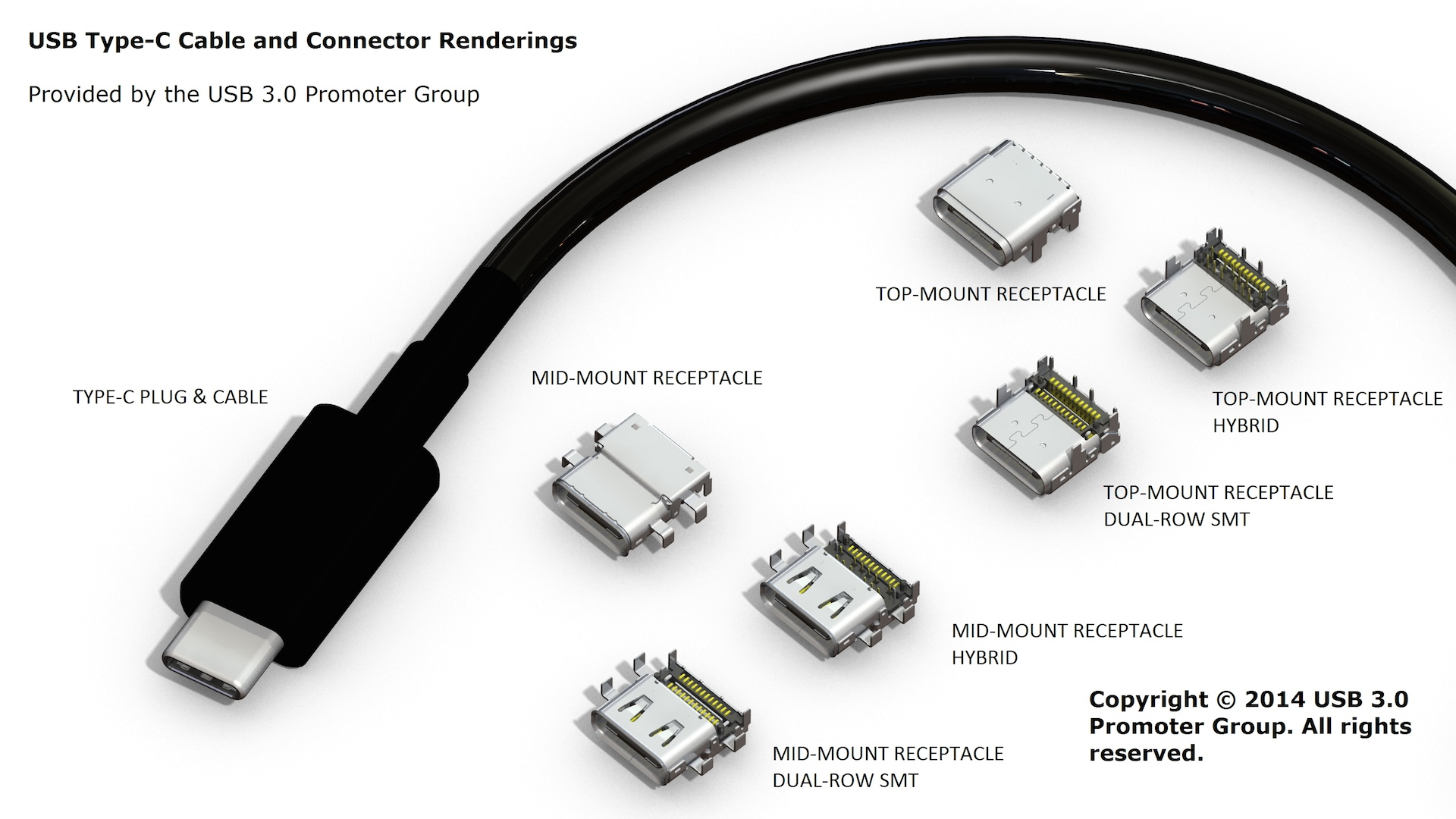
USB Type C
http://www.usb.org/developers/usbtypec/
http://www.usb.org/developers/docs/
http://www.usb.org/developers/docs/usb_31_060115.zip

This version of USB specification is identified, not simply from personal experience, but due to industry adoption of the standard:

(a) http://www.usb.org/press/USB_Type-C_Specification_Announcement_Final.pdf  

(b) http://arstechnica.com/gadgets/2014/08/small-reversible-usb-type-c-connector-finalized/


Image credited to http://arstechnica.com/gadgets/2014/08/small-reversible-usb-type-c-connector-finalized/

(c) https://support.apple.com/en-gb/HT204360 etc...

A testing schedule for MTBF and MTTF cannot be created unless the device class using a version of the USB specifications is corroborated:

Device Classes (some useful resource materials)
http://www.usb.org/developers/docs/devclass_docs/
http://www.atmel.com/dyn/resources/prod_documents/doc4322.pdf
http://www.linux-usb.org/usbnet/
http://cscott.net/usb_dev/data/devclass/usbcdc11.pdf

Moreover, if USB 3.0 is backward compatible with USB 2.0 could USB 3.0 be used as the de facto standard for all SSDTs to assist defining MTBF and MTTF?

What about USB plug/port sizes, would these create different test requirements?

Lastly, and to close Part 1 of this blog discussion, there is another question equally worth asking: "Does a manufacturer's/supplier's warranty for 12 or 24 months mean that lab testing is not necessary for that period of the warranty in question?


Previous discussion under Metrology
http://trewmte.blogspot.co.uk/2015/05/metrology.html

Knowing DUT memory
http://trewmte.blogspot.co.uk/2015/05/knowing-dut-memory.html